 NODALT
Node-based compositing software · Private beta
NODALT
Made by an artist, for artists.
Built with the community.
AI models · local, free and paid
Today's best models, plugged in like effects.
FLUX.2, Depth Anything, Real-ESRGAN or Wan run locally on your Mac, for free. Nano Banana, Kling, Seedance, Veo or Topaz go through the cloud, at cost, with the price shown under the node before every render. All of them plug in like any other effect: composite, alpha, masks, depth blur.
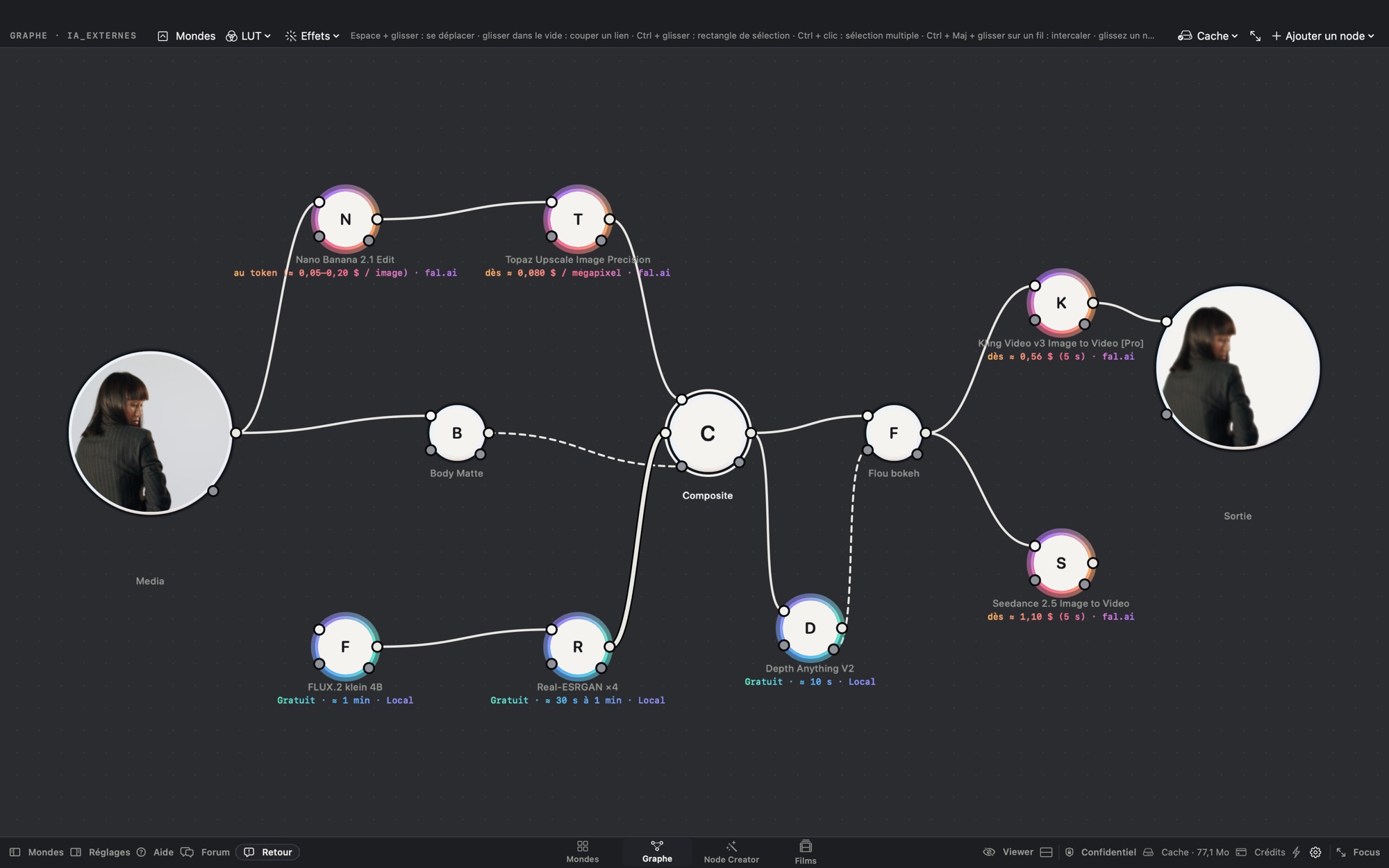
Cool ring: free, local on your Mac · warm ring: paid, cost and destination shown · confidential mode: anything that would leave the Mac is switched off.
The story
I retouch fashion and beauty films in Paris. A year ago, I started building the tool I was missing.
Nodalt is a year of development, shot after shot. A native Mac node-based compositing app, designed like high-end tools — a node graph, Source, Background and Mask inputs, a cache, viewer shortcuts — without a dedicated workstation or an outrageous license, and with AI where it truly saves time.
Every tool was born from a real shot: skin to retouch without losing its grain, a passer-by to erase, hair to key on a badly lit green screen. If a tool can't hold up on a 4K commercial shot, it isn't in Nodalt.
— Owen, Visualt
Who it's for
For graphic artists, motion designers, compositors and retouchers.
Every effect is a circle, you link them with wires, and the image flows from one to the next: that's it. Node-software regulars feel at home right away; everyone else is guided by the built-in help, which answers even offline.
What Nodalt does
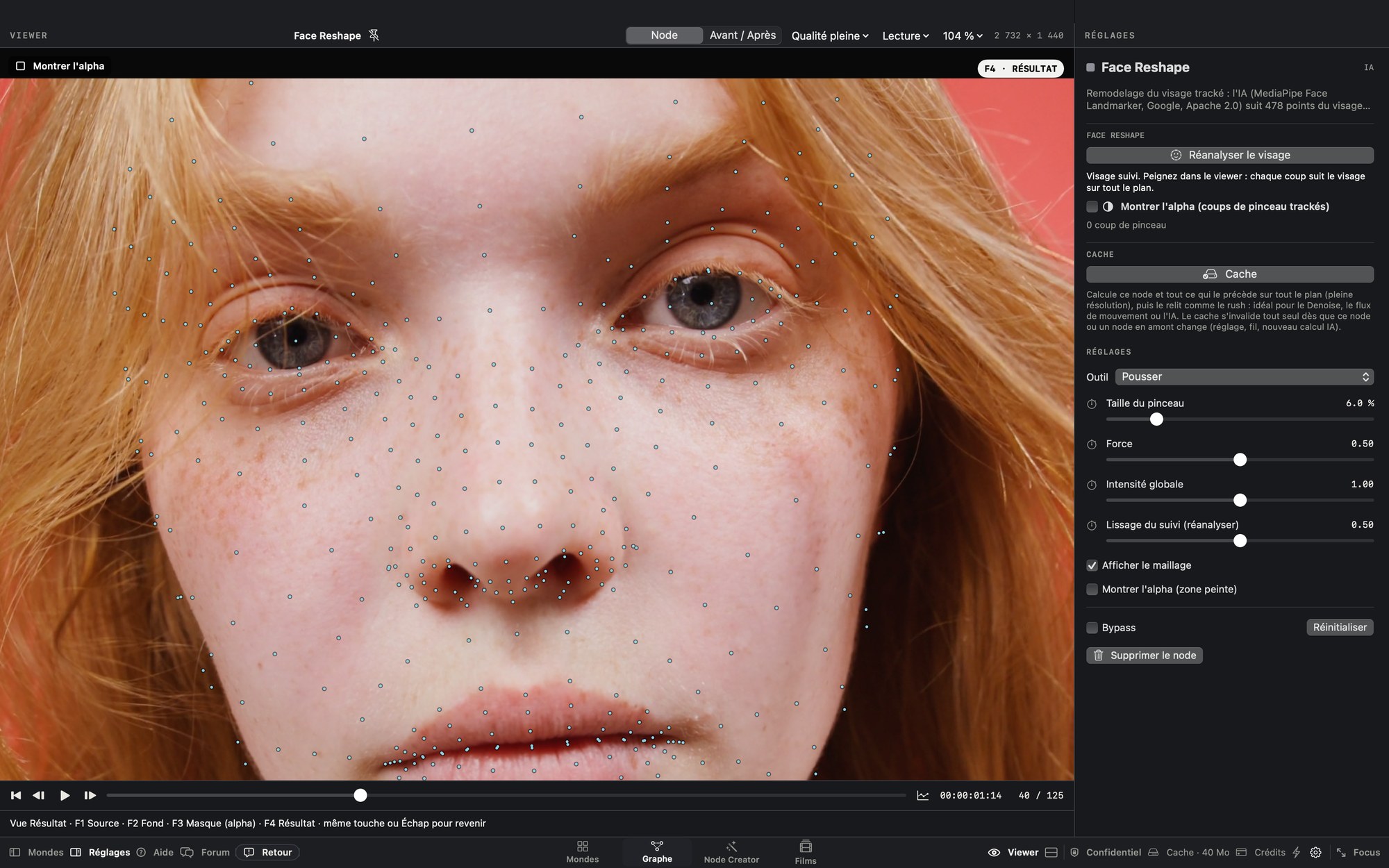
TRACK
Face Reshape · Point Tracker · AI
On a face, Nodalt lays down a 478-point mesh that follows every expression, frame by frame, even when the head turns. Paint, masks and warps — slim, lift, plump — stay glued to the skin, without a single keyframe. On the rest of the image, the Point Tracker follows hundreds of details.
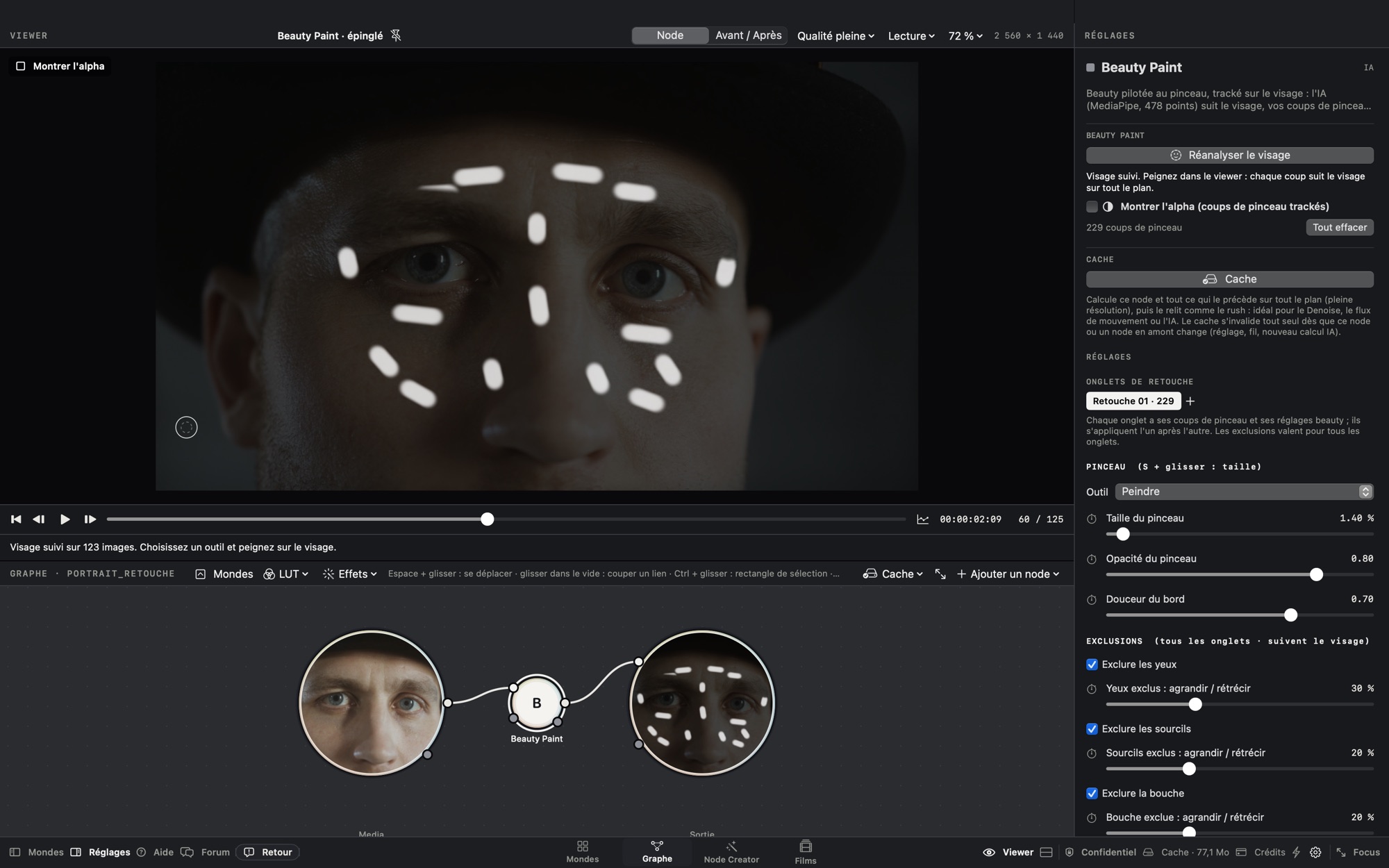
PAINT
Beauty Paint · Beauty Zones · Face Reshape
A few brush strokes, anywhere on the face: forehead, cheeks, nose, jaw. AI removes the blemish and rebuilds the skin's grain instead of smoothing it like plastic. Thanks to tracking, every stroke stays glued to the face for the whole shot.
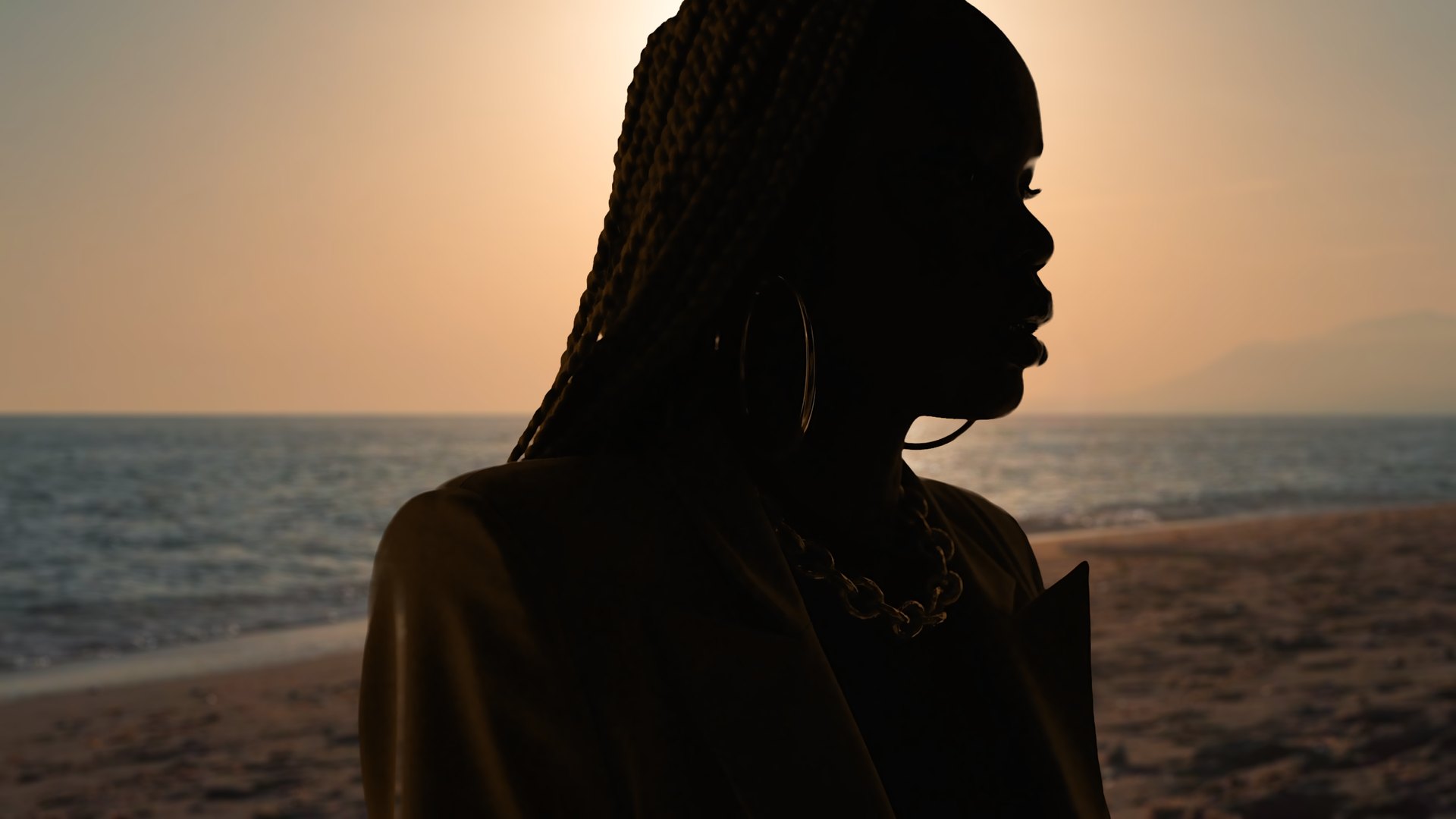
KEY
AI Keyer · Body Matte · Composite
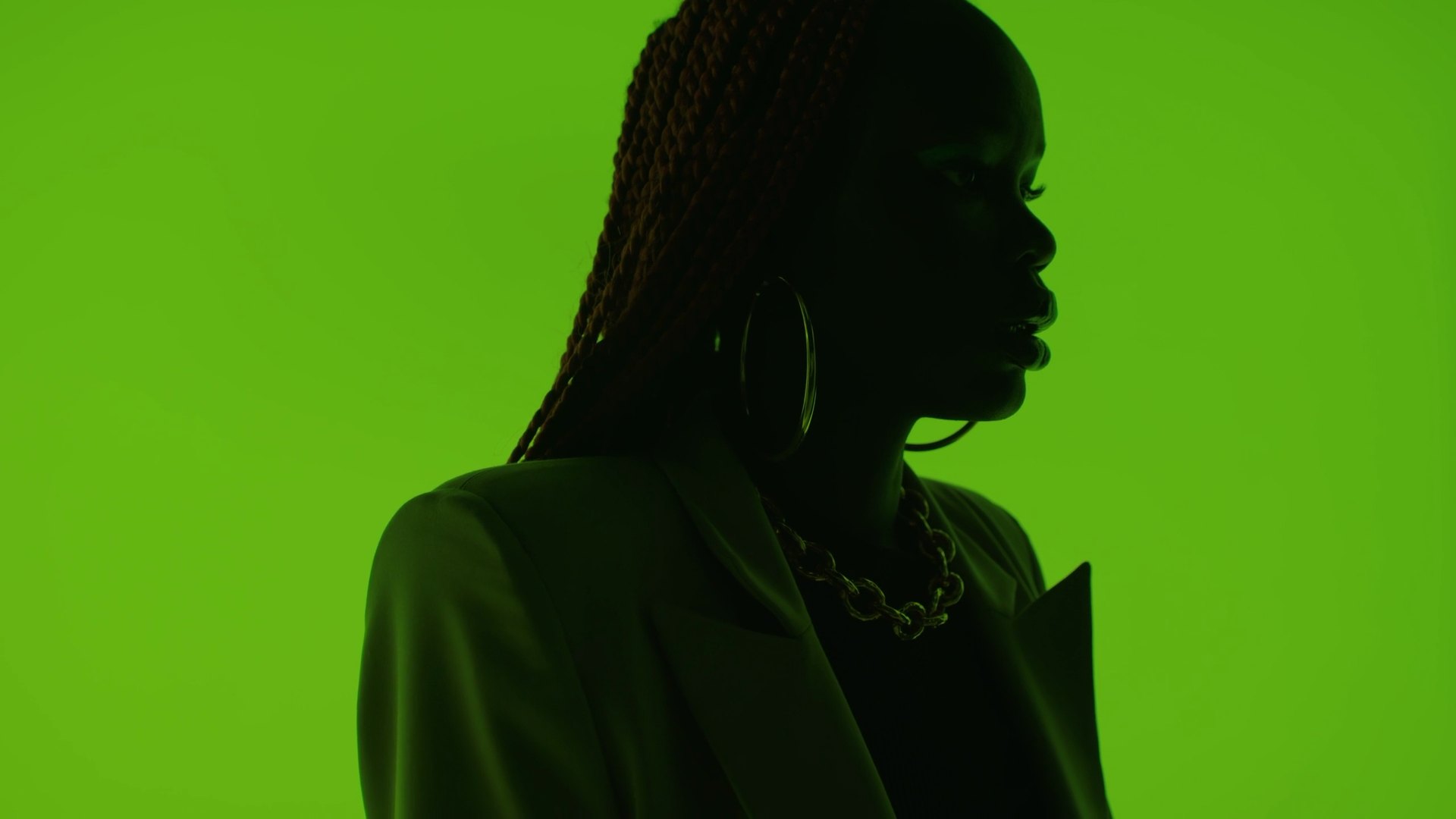
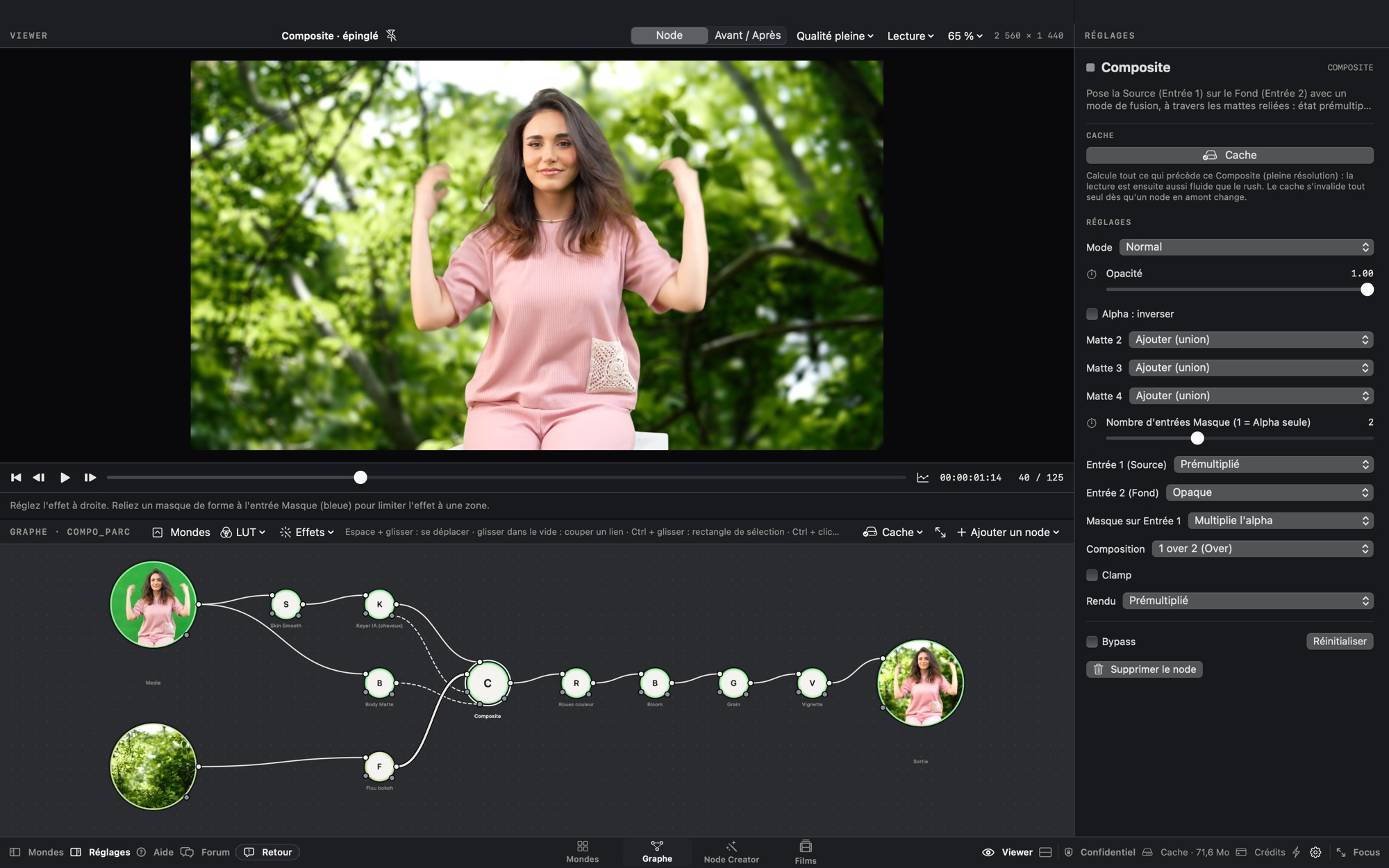
On green screen, the AI keyer keeps every braid; the Body Matte recovers the whole body. Combined in a Composite, they place the silhouette on another image, with no holes and no green edges.
ERASE
AI Fill · AI Object
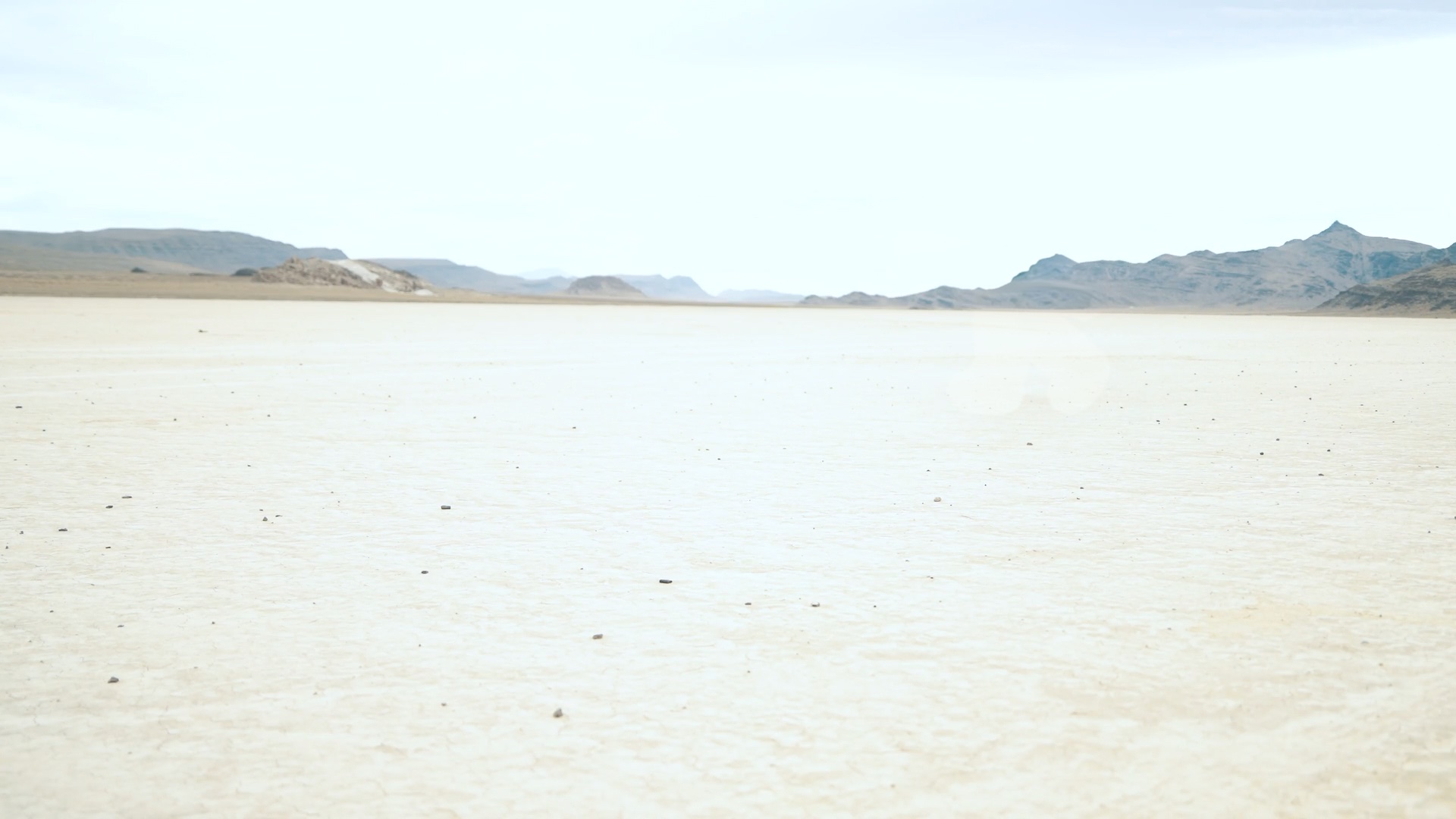
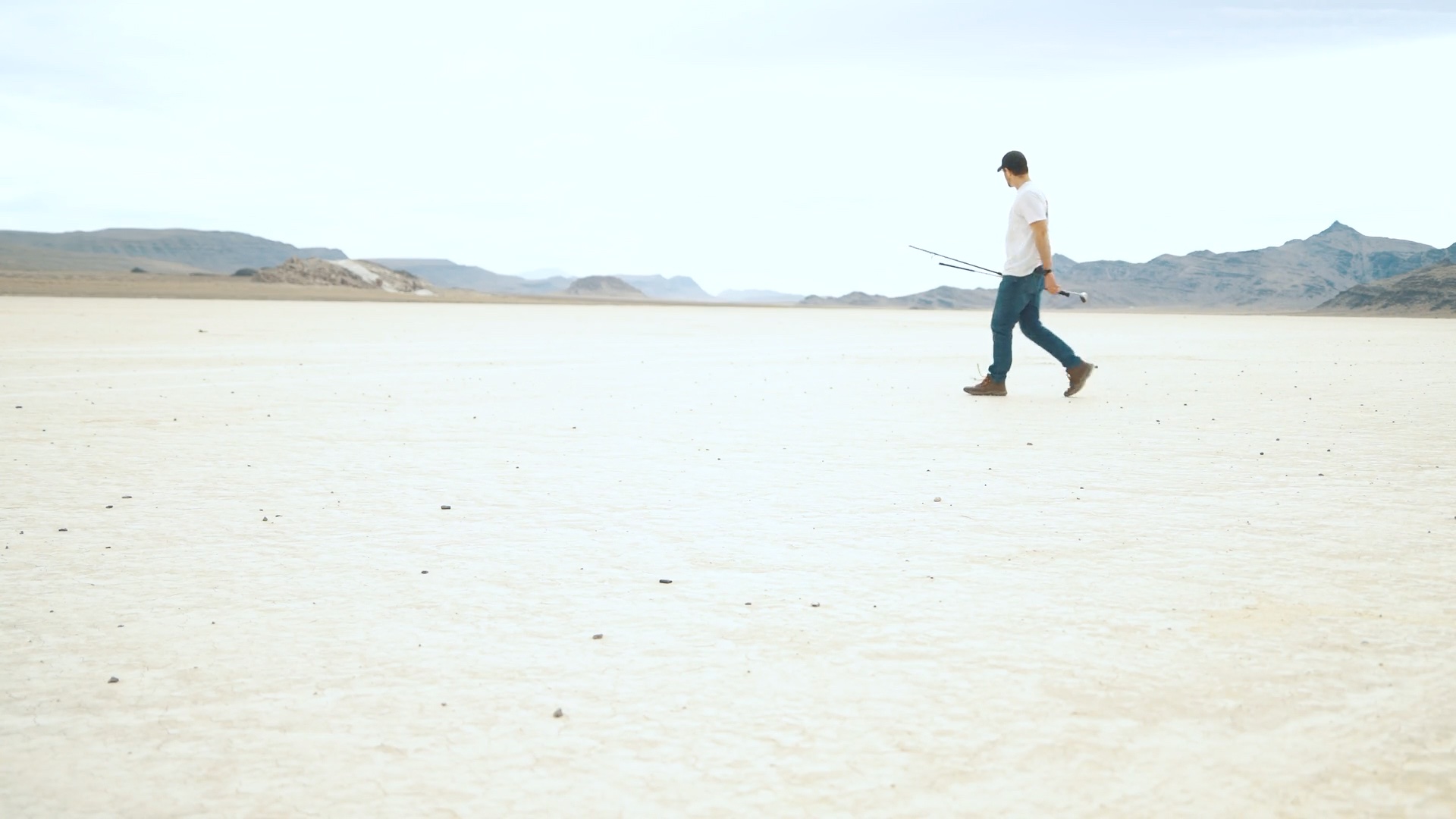
Type “person”: Nodalt finds the walker and his pole, cuts them out and rebuilds the landscape behind. The salt, the mountains, the light: nothing gives the retouch away.
SPLIT
Film mode · Cut detection · Timeline
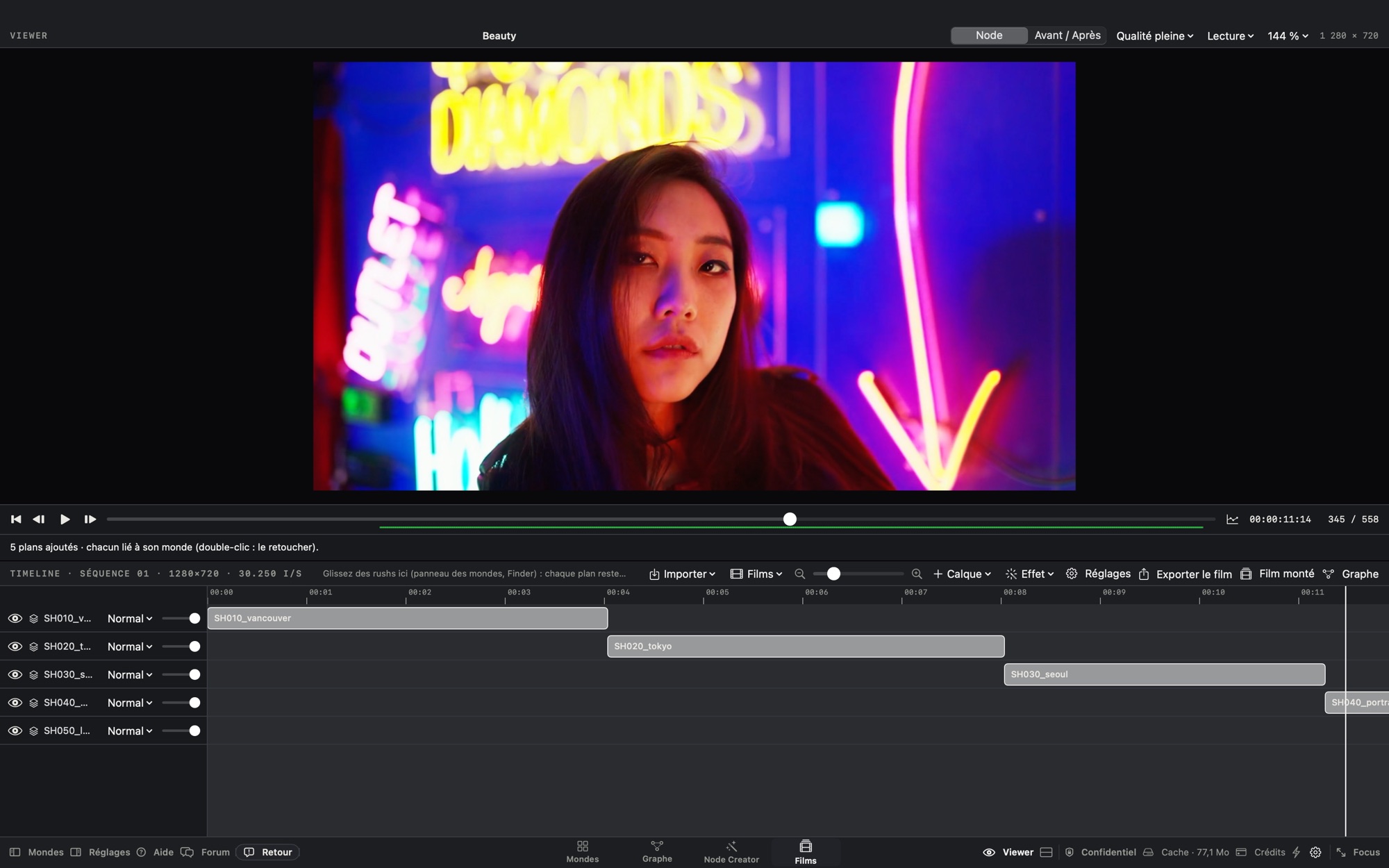
Import an edited film: Nodalt finds the cuts and puts every shot in its own world. You retouch shot by shot, the timeline keeps the film in order, and the finished film comes out in one piece.
COMPOSITE
Graph · Composite · Mattes
Two shots, a keyer, a Body Matte, a blurred background, a Composite and a grade on top: every step is a node, every wire can be cut and reconnected. Each node takes on the colors of the shot it works on, so you read the tree at a glance.
Before / after · drag
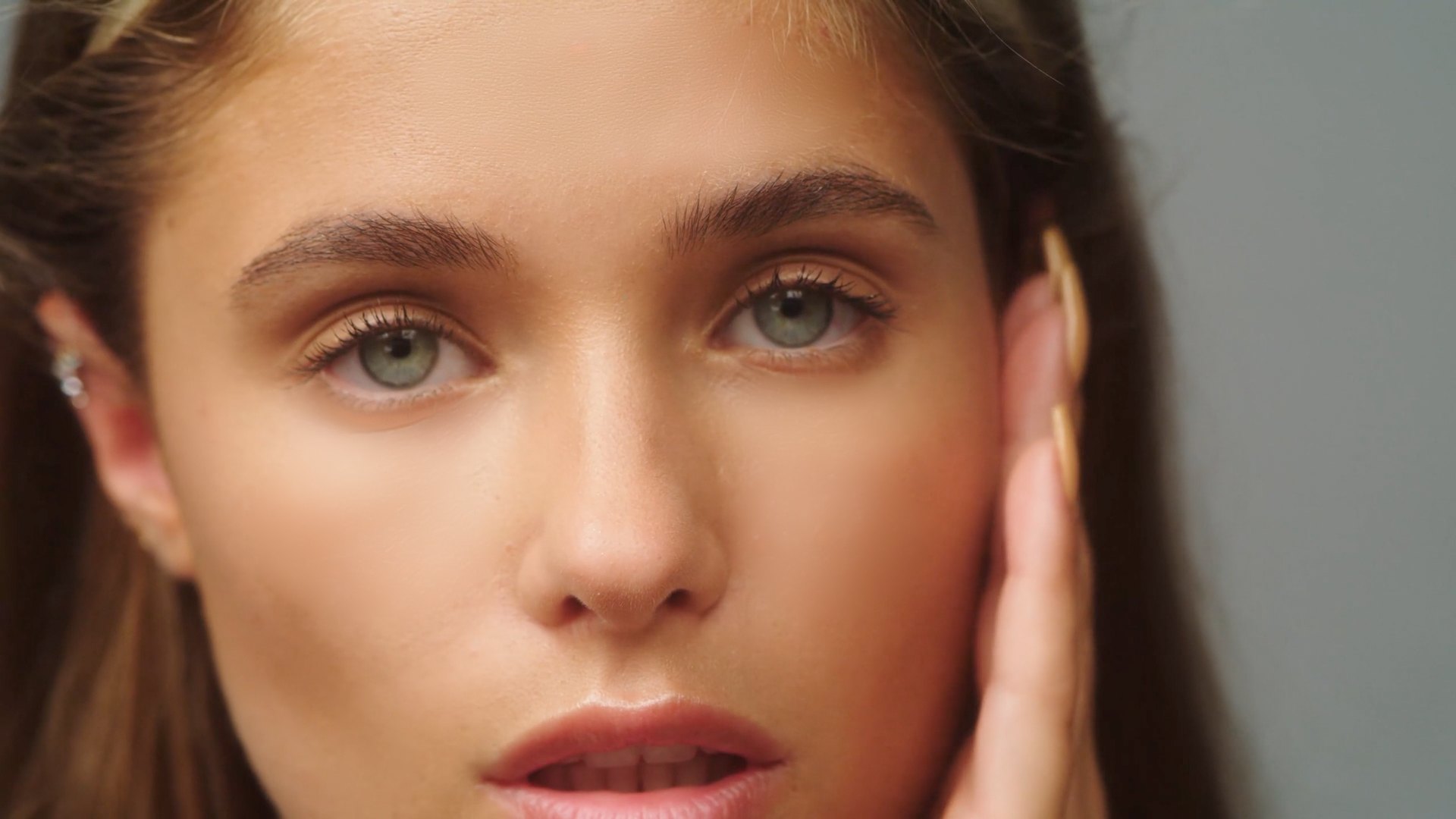
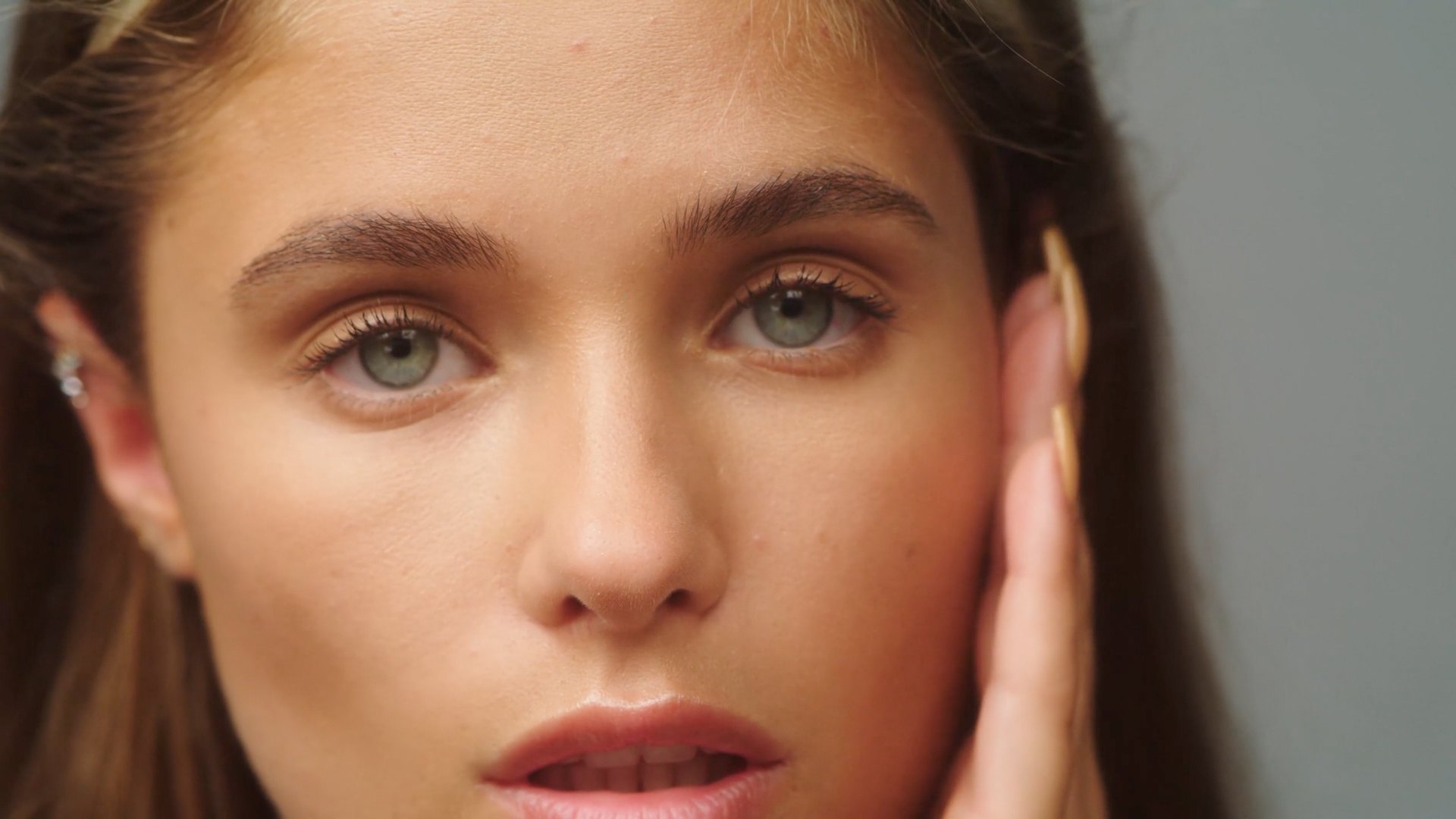
Beauty Paint: blemishes and dark circles removed, eyes and brows protected automatically, the skin's grain kept. Five brush strokes, tracked across the whole shot.
Community-built software
Tomorrow's nodes will be yours.
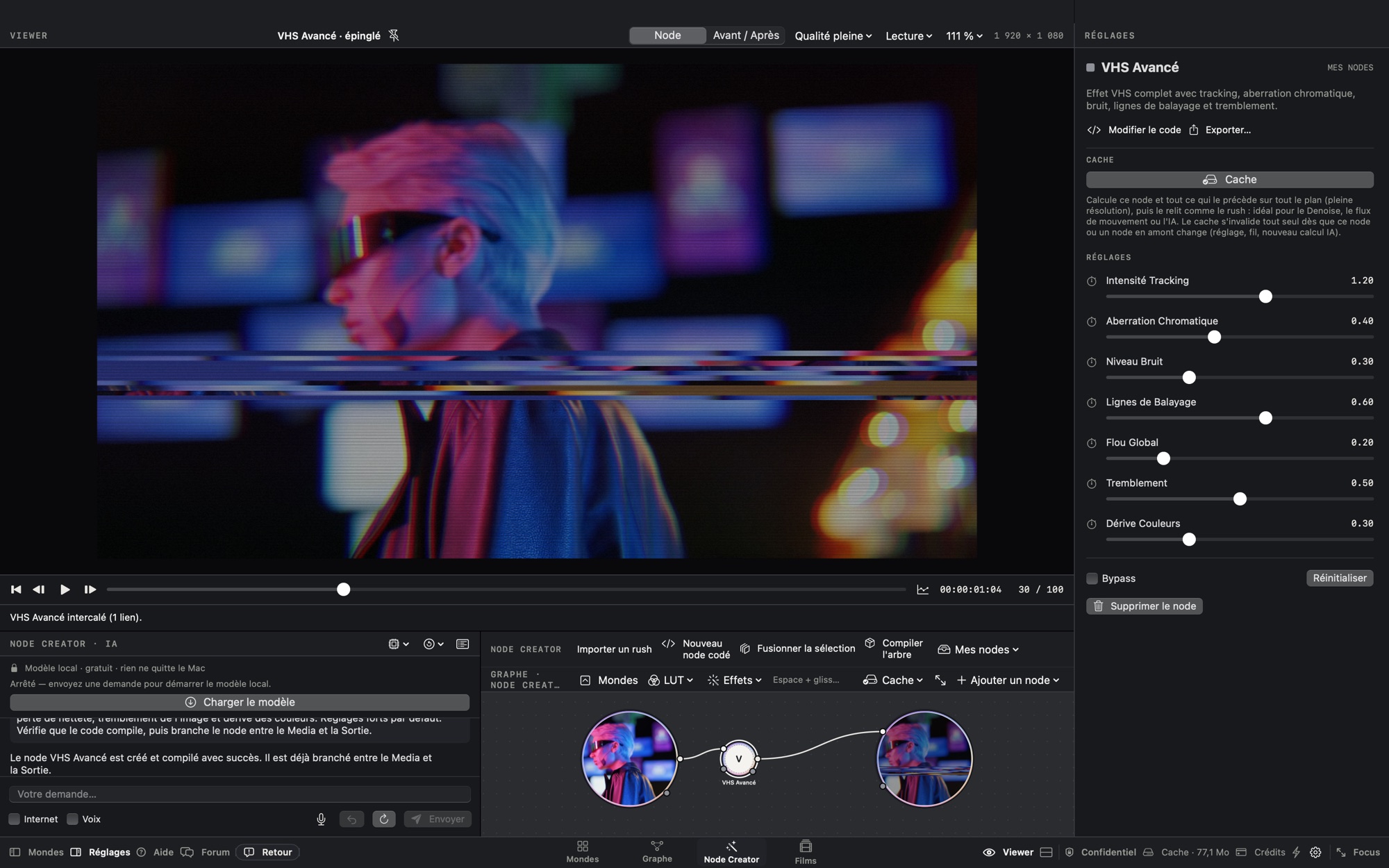
With the Node Creator, you describe an effect in one sentence and AI writes the node for you. You tune it, keep it, and share it on the forum as a simple .nodalt file. Others download it, improve it, share it in turn — and no node ever overwrites another: every improvement is a new version.
Nodalt isn't finished software, and that's on purpose. Over time, the community's feedback and nodes will give it a dimension no studio could build alone.
1 · Describe
“A film grain that breathes more in the shadows.” AI writes the node.
2 · Tune
Sliders, inputs, live preview: the node becomes yours.
3 · Share
One .nodalt file on the forum. The community uses it, and improves it.
AI, differently
AI doesn't replace the craft. It makes it faster.
For a year, many models were tested on real production shots: 4K ProRes, extreme skin close-ups, hair on difficult backgrounds. Those that flickered from frame to frame, smoothed skin like plastic or came with a closed license were dropped. The ones that remain became simple nodes.
Local, on your Mac
Models run locally, on your Mac's chip. Your images go nowhere.
Open
Open source only, under MIT, Apache or BSD licenses: SAM 2.1, TAPNext++, RAFT, ViTMatte, MediaPipe, Grounding DINO, LaMa, FLUX.2 [klein]…
Adjustable
AI builds masks, tracking points and motion vectors. You stay in control of every setting, like on any other node.
Confidential
A project under NDA? Confidential mode switches off anything that could leave the Mac. Online models are optional and show their cost and destination before every render.
Private beta
Two months free. Your feedback in return.
Apple silicon Mac · macOS 14 or later · 6 MB .zip file · first launch: how-to
Easiest during the beta: install in one line
curl -fsSL https://nodalt.visualt.fr/install | bashOpen Terminal (Applications › Utilities), paste the line, press Return: Nodalt installs in Applications and opens, with no warning at all.
Download
Apple silicon Mac (M1 or later), macOS 14 or later. The app weighs 6 MB: AI packs install later, whenever you choose.
Activate
Enter your email, receive a one-time code: Nodalt is yours for two months.
Tell us everything
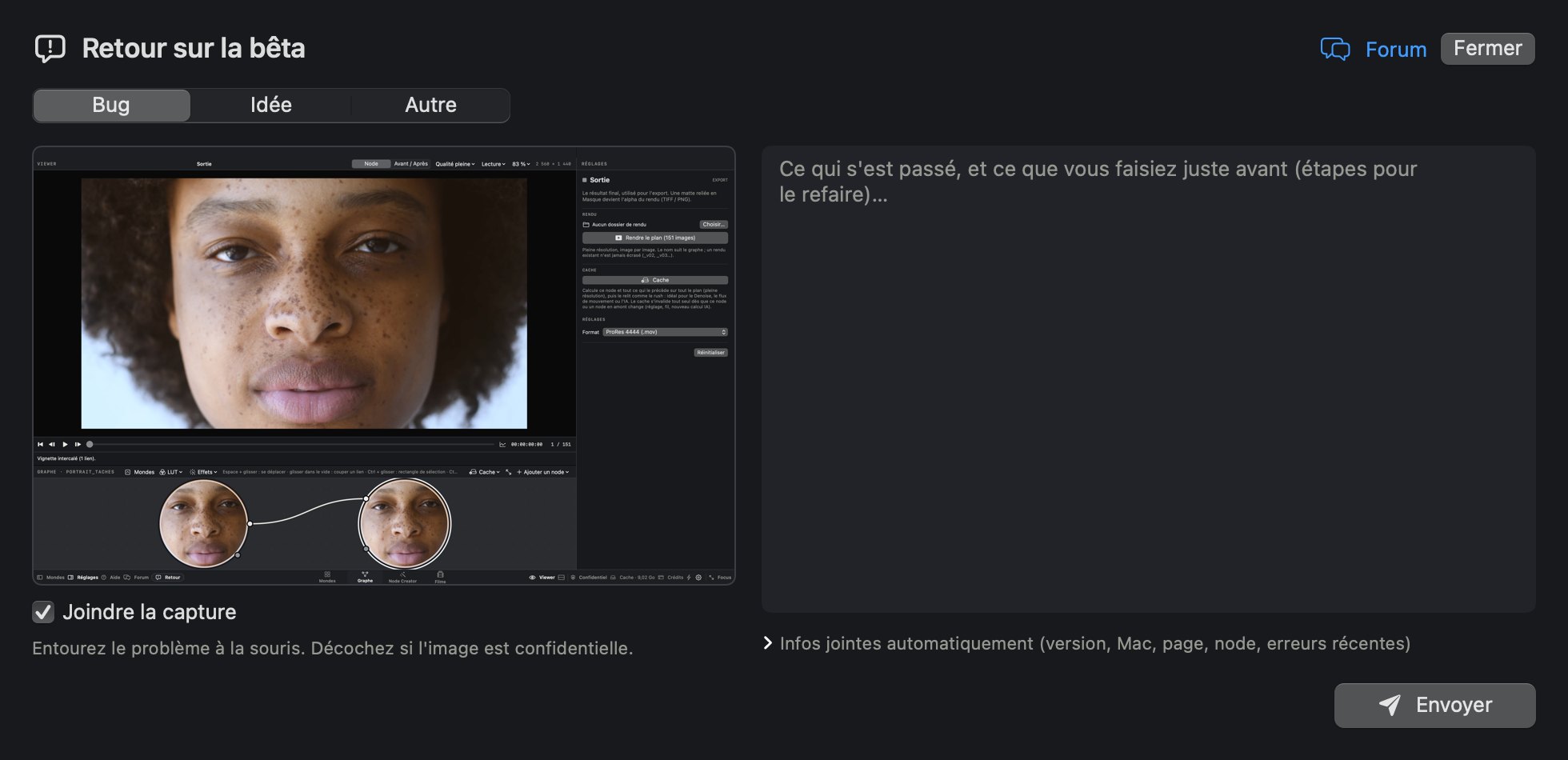
The Feedback button, at the bottom of the app, sends your note with a screenshot you can annotate. At the end, a two-minute survey decides what comes next.
Install in one minute
Why does macOS show a warning?
Nodalt is a private beta: it isn't published or validated (notarized) by Apple yet; that will come with the public release. Until then, macOS shows ““Nodalt” Not Opened” for any app downloaded from a browser that Apple hasn't checked yet. It isn't a virus: the app is just too new for Apple. Two ways to install it:
Easiest during the beta: install in one line
curl -fsSL https://nodalt.visualt.fr/install | bashOpen Terminal (Applications › Utilities), paste the line, press Return: Nodalt installs in Applications and opens, with no warning at all.
Or with the downloaded .zip file, confirming the launch once:
1 · Download
Click Download, then double-click the .zip file to unzip it.
2 · Move
Drag Nodalt into the Applications folder.
3 · Open
Double-click Nodalt. macOS shows ““Nodalt” Not Opened”: click Done (not “Move to Trash”).
4 · Allow
System Settings › Privacy & Security: at the very bottom, Open Anyway, then your password.
Trouble installing? Post in the Questions section of the forum.